Problem Statement
As part of creating Refraction Remix we set out to redesign the way the game taught users to play. I was responsible for designing the systems the game used to teach users the new and existing mechanics. I split the problem into two parts: an updated on-boarding experience (also known as tutorials) and a hinting system. For the tutorials, our goals were to:
- Explain all the mechanics of the game
- Introduce mechanics at a reasonable pace for 3rd grade students
- Include practice levels
- Have the tutorials be non-blocking
- Teach visually when possible
- Minimize text on the screen
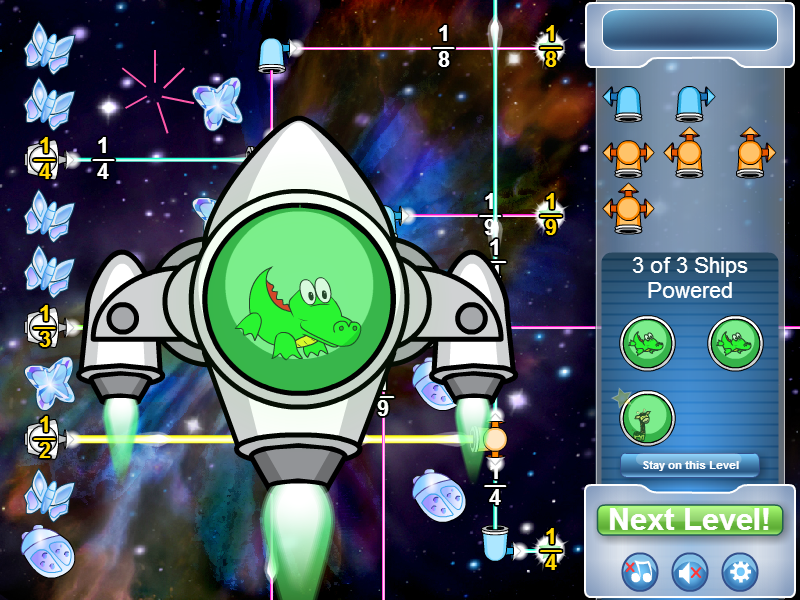
Refraction’s Tutorials
The tutorials of the original Refraction already did some of this very well. It taught each mechanic one level at a time, included many practice levels, and had non-blocking tutorial messages that appeared in some levels.
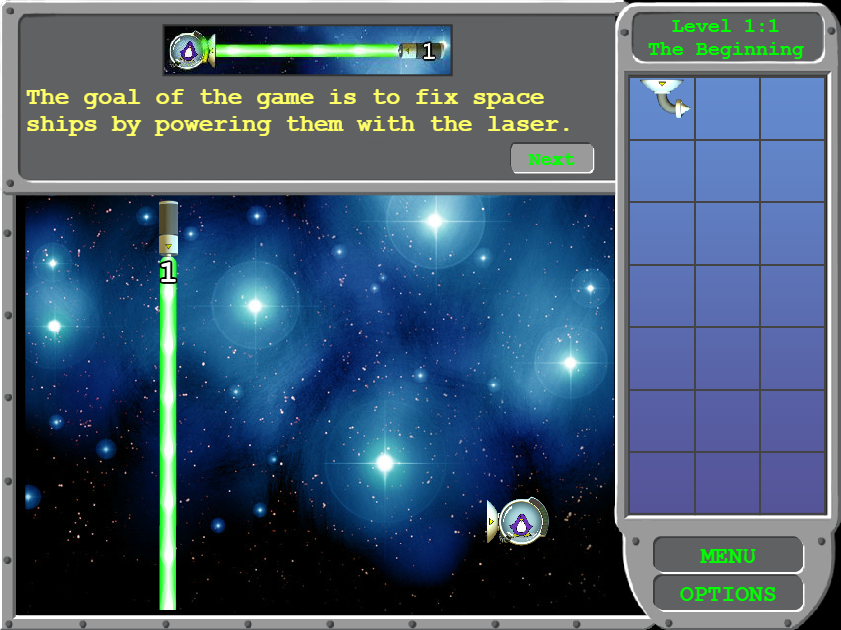
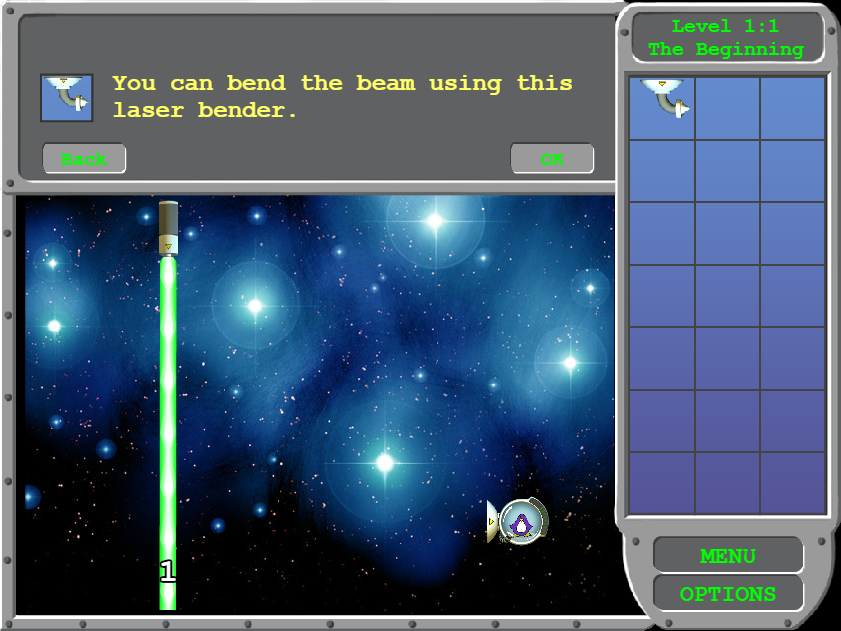
However, the original tutorials were quite verbose. For example, the first level included a two-screen tutorial message in which the player could click ‘next’ and ‘back’ to flip between pages. It did this so that it could teach two concepts in the first level.
Types of Learning
A good tutorial experience will…
Be non-blocking
allowing players to proceed at their own pace
Have a smooth learning curve
allowing players to learn gradually or blitz through if desired
Give players multiple chances to practice
so they can master the mechanics
Be heavy on visuals and light on text
knowing that many players will not read the instructions
In gaming, there are two types of learners: experimentalists and observers.
Experimentalists are players who want to jump in and try something, ignoring all instruction along the way. These players learn by experimentation, which means they like to try something to see what happens regardless of the consequences. They are quick to pick up a controller and try just about any game. Anytime a tutorial blocks them from proceeding at their own pace, they become frustrated with the game.
Observers prefer to know what is going to happen before they try to do something. They want to be told or shown specifically what is going to happen when they press a button. Experimentation makes these players uncomfortable, so any mechanics which need to be discovered instead of taught are likely to be missed by an observer.
When designing a tutorial system it is important to consider all kinds of learners. It is also important to test with both types of learners to ensure the game is fun and intuitive for as many players as possible.
Remixed Tutorials
To on-board players into Refraction Remix, I redesigned the tutorial levels. In particular, I needed to explain all game mechanics to players and redesign the existing tutorials. In the process, I redesigned the way the tutorial messages appeared to make them more intuitive to players.
It is well known that players do not read instructions, especially in games. You get bonus points if you are reading this paragraph! As a result, I designed the on-boarding experience around visual tutorial messages whenever possible. As each new concept was introduced, I included a short animation and message on the screen. To keep things simple, I reused the animations and text from the hint system but placed them on the screen in message bubbles. These message bubbles drew the player’s attention to the new concept, were co-located next to or pointing at the piece that they were describing, and were non-blocking and closable.
Each tutorial level focused on introducing a single new concept, except for the first level which needed to introduce three concepts, and required the player to make use of all concepts to complete the level. I was able to keep many of the levels from the original game, with tweaks, but rearranged them and added new levels to teach the new mechanics. For all of the tutorial levels, I designed them to accommodate any message bubbles that were needed.
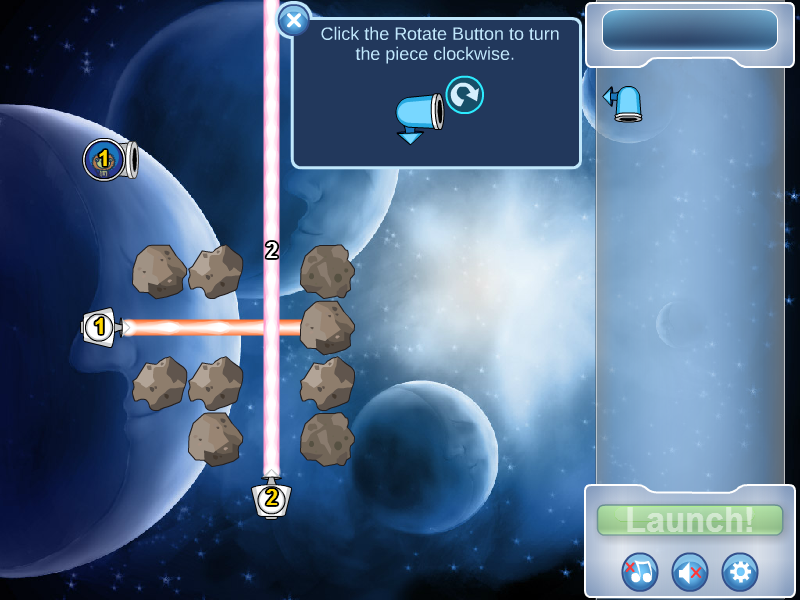
The First Level
For example, the first level needed to teach the player about ships so that they knew how to finish a level. It also needed to teach players about benders so that the player had something to do to complete the level.
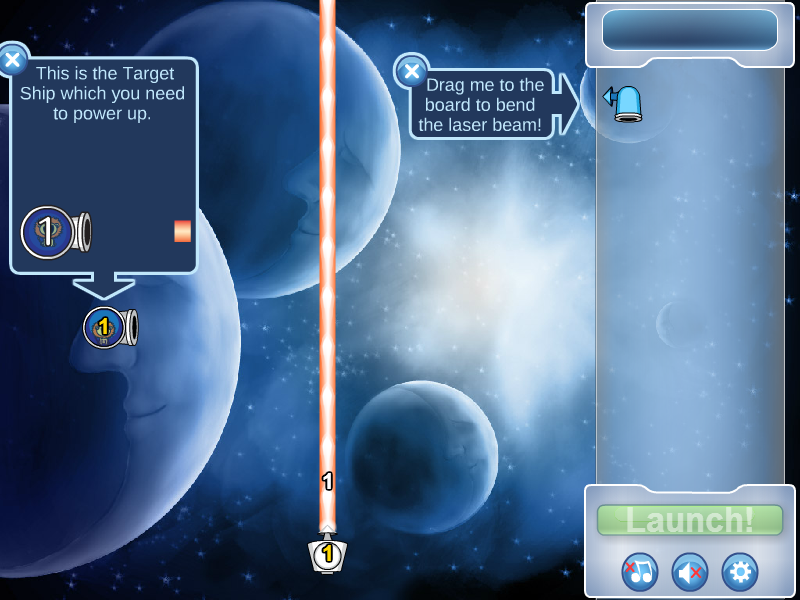
I put two message bubbles in the level, one to call out the ship concept, with an animation, and one to call out the bender. I did not include an animation to help teach the bender concept because there was already enough information on the screen as part of the explanation of the ships, which was a more important concept. Additionally, I knew the hint animation would trigger as soon as the player hovered over the bender piece on the board. For the third concept, I tried putting a message bubble on the laser piece but decided that was too much reading for one level. I made sure to test that this removal did not make the level too difficult. Players, including younger players, seemed to have no problems completing this first level without the additional message.
I also rotated the level so that I could do three things:
1. Put the ship message next to the ship
2. Put the bender message next to the bender
3. Have the player scan the screen from left to right, learning about the ship first and then how to power the ship with the bender